
Apple Fitness vs Fitness+: What Is the Difference?
Apple Fitness vs Fitness+: the difference between the free Fitness app, Activity rings, Apple Watch tracking, and the paid Fitness+ workout subscription.
Last updated: Sep 3, 2026
Apple Fitness is the app that shows your activity rings, workouts, trends, sharing, and competition activity on iPhone and Apple Watch. Apple Fitness+ is the paid subscription with guided video workouts. You can use Fitness without Fitness+; the subscription adds coached workout content, not the basic rings or competition system.
Quick answer: Apple Fitness = rings + workout history. Fitness+ = paid guided workouts. You do not need Fitness+ to close rings or join competitions.
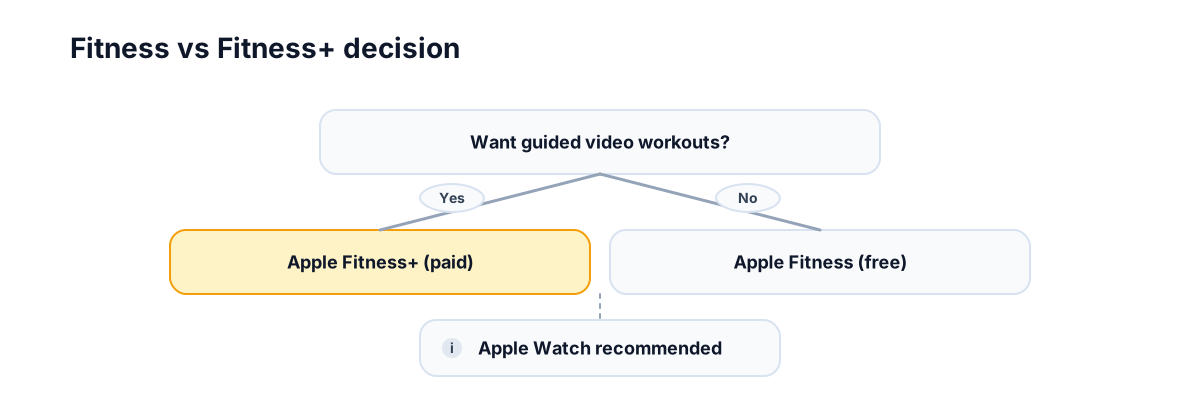
Quick decision:
- If you want guided video workouts → Fitness+
- If you just want rings + tracking → Fitness
Key takeaways:
- Apple Fitness: free app for rings and workout history
- Apple Fitness+: paid workouts and trainer programs
- Fitness+ is optional for ring progress
- Apple Watch competitions use Fitness/Activity data, not a Fitness+ subscription
Practical tip: if you already have a workout routine, Fitness+ is not required to close rings or join competitions.
Apple Fitness vs Fitness+ comparison table
| Feature | Apple Fitness | Apple Fitness+ |
|---|---|---|
| Free vs paid | Free app | Paid subscription |
| Guided video workouts | No | Yes |
| Works without Apple Watch? | Limited | Limited |
| Where it works | iPhone, Apple Watch | iPhone, iPad, Apple TV (varies by device) |
| Activity rings | Yes | Workouts can contribute, but rings live in Fitness/Activity |
| Apple Watch competitions | Yes, through Sharing | No separate competition system |
| Included with Apple One? | N/A | May be included depending on plan/region; check Apple’s current offer |
| Trial available? | N/A | Often offered; check Apple’s current offer |
What you get
Apple Fitness (free):
- Activity rings and daily progress
- Workout history and trends
- Sharing and competition tracking
Apple Fitness+ (paid):
- Guided video workouts
- Trainer tips and programs
- Structured sessions across workout types
How does it work?
The Fitness app is where you see rings, history, and trends. Fitness+ is an add‑on service that streams workouts; those sessions are then logged in the Fitness app. For ring basics, see activity rings explained.
Can you use rings on iPhone without Apple Watch?
Rings are driven by Apple Watch activity data; without a watch you will not have ring progress to close.
What you can still do on iPhone:
- View Fitness+ content if you have a subscription.
- See past trends if historical data exists.
- Manage goals and sharing settings.
Common confusion
- Fitness app vs Fitness+ subscription (not the same thing).
- Fitness+ does not auto‑improve scores.
- You do not need Fitness+ for competitions.
Do you need Fitness+ for Apple Watch competitions?
No. Apple Watch competitions use Activity rings and Activity Sharing. You can start and track competitions through the Fitness app on iPhone or the Activity app on Apple Watch without subscribing to Fitness+.
Fitness+ workouts can still help if they make it easier to close Move and Exercise rings. But competition points come from ring progress, not from whether the workout came from Fitness+.
For the competition details, see Apple Watch competition rules and Apple Watch competition points explained.
FAQ
Is Apple Fitness free?
The Fitness app is free. Fitness+ is the paid subscription for guided workouts.
Is Apple Fitness+ worth it?
It depends on whether you want guided video workouts and structured programs.
Is Fitness+ included with Apple One?
It may be included depending on your plan and region. Check Apple’s current offer.
Can I use Fitness+ without an Apple Watch?
Some workouts can be viewed without a watch, but ring tracking and full metrics require Apple Watch data.
Do I need Fitness+ to use Apple Fitness?
No. Apple Fitness is free and works with Apple Watch ring tracking.
Does Fitness+ help with competition points?
Only indirectly. Any workout that closes rings helps points, whether or not it came from Fitness+.
Why this matters
Knowing the difference helps people choose the right tools without overpaying. When you pick the right level of support, it is easier to stick with a routine and stay motivated. Clear choices also reduce the chance of quitting early, which matters more when people are keeping pace with friends.
Want this with groups? Competo supports group leaderboards.
- Weekly leaderboard updates for groups
- Group challenges everyone can join
- Stay consistent without micromanaging scores
Related guides
- Apple Watch competition overview
- How Apple Watch points are counted
- How to get 600 points in an Apple Watch competition
- Activity rings explained for iPhone users
- How to add a workout to Apple Fitness
- Rules behind Apple Watch competitions
Not affiliated with Apple.