
Apple Fitness rings explained (Move, Exercise, Stand)
What the Move, Exercise, and Stand rings mean, how they update, and what you can see on iPhone—plus quick fixes when rings don’t move.
Last updated: Dec 30, 2025
Apple Fitness rings show daily progress for Move (active calories), Exercise (minutes of brisk activity), and Stand (hours). The rings update throughout the day as you move, not only after workouts. They are driven by Apple Watch activity data and displayed in the Fitness app on iPhone.
In one line each:
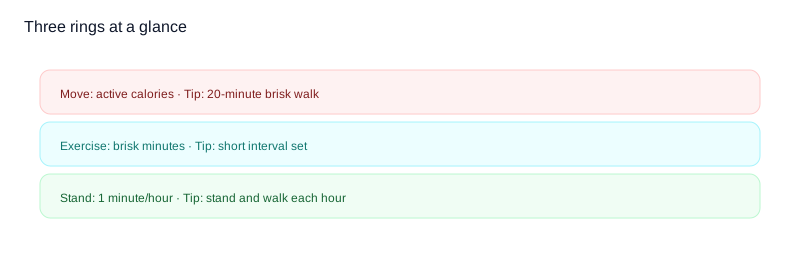
- Move: active calories from movement and workouts
- Exercise: minutes of brisk activity
- Stand: one minute of movement per hour
Common mistake: thinking the rings only update after a workout. They update throughout the day as you move.
Can you use rings on iPhone without Apple Watch?
You can open the Fitness app on iPhone, but ring progress is driven by Apple Watch data. Without a watch, you will not see rings close because there is no activity data feeding them.
What you can still do on iPhone:
- View Fitness+ content if you have a subscription.
- See past trends if historical data exists.
- Manage goals and sharing settings.
Ring table
| Ring | What it measures | How to improve it today |
|---|---|---|
| Move | Active calories | Add a brisk 20-minute walk |
| Exercise | Minutes of brisk activity | Do a short interval workout |
| Stand | One minute of movement per hour | Stand up and walk each hour |
How each ring updates
| Ring | Updates from | Common misunderstanding |
|---|---|---|
| Move | Active calories from movement and workouts | It is not step count |
| Exercise | Minutes at brisk intensity | Not every minute walking counts |
| Stand | 1 minute of movement per hour | You do not have to stand still for a full hour |
How does it work?
Rings update automatically based on Apple Watch sensors. The Fitness app on iPhone mirrors your ring progress and shows trends over time. For competition scoring, see how ring percentages become competition points.
Quick fixes
Why isn’t my Move ring moving?
- Check that Apple Watch has recent heart-rate data.
- Add a short, brisk walk to increase active calories.
- Confirm your Move goal is not set unusually high. The Move goal calculator suggests a realistic one, and the steps to close your Move ring calculator shows what it means in steps.
Why did Exercise minutes not count?
- Increase intensity; slow walking may not register.
- Try a workout type that tracks Exercise minutes.
- Make sure the watch is snug for accurate readings.
Why didn’t my Stand hour register?
- Move around for at least one full minute during the hour.
- Make sure the watch is not in power reserve.
- If you were traveling, allow time for sync.
Common misconceptions
- Rings are based on step count.
- You need a workout to move the rings.
- Stand ring requires standing still for an hour.
- iPhone steps alone will close rings.
FAQ
Why do my rings close on iPhone but not instantly on Watch?
There can be a short sync delay. Give it a few minutes for Watch and iPhone to update.
Can I change my ring goals?
Yes. You can update Move, Exercise, and Stand goals in the Fitness app.
Do rings count steps?
Steps are not a direct scoring input. Rings track calories, activity minutes, and standing hours.
Do manually added workouts count?
They can, if the entry updates ring progress. See [how to add a workout to Apple Fitness](/en/add-workout-to-apple-fitness).
Why this matters
Rings are designed to encourage small, daily actions that build consistency. When people understand what each ring measures, they are more likely to set goals they can keep week after week. Clear expectations make it easier to stay motivated without overdoing it, especially in group challenges.
Want this with groups? Competo supports group leaderboards.
- Weekly leaderboard updates for groups
- Group challenges everyone can join
- Stay consistent without micromanaging scores
Related guides
- Apple Watch competition overview
- Rules behind Apple Watch competitions
- How competition points are counted
- Add a workout to Apple Fitness
- Apple Fitness vs Fitness+ explained
Not affiliated with Apple.