
Apple Watch Competition Rules: 600 Points a Day, 7 Days, Ties
Apple Watch competition rules in plain English: the 7-day 1v1 match, how ring points are scored, the 600-point daily cap, ties, and what to do for a group.
Last updated: Oct 10, 2026
Apple Watch competition rules are simple: you compete head-to-head for seven days, and points come from the Move, Exercise, and Stand rings shown in Apple Fitness and Activity. You can earn up to 600 points per day, and the person with the most points wins the week. It is not about steps; it is about ring progress. This guide covers the rules, scoring, daily cap, ties, and what counts toward your total.
At a glance: An Apple Watch competition lasts 7 days, is limited to 2 people, and awards up to 600 points per day from Move, Exercise, and Stand ring progress. The person with the highest weekly total wins.
- Length: 7 days
- Max points: 600 per day
- Scoring source: ring completion
Common mistake: assuming a long walk always wins. If it does not close rings, it will not score as much as you expect.
People often search for "Apple Fitness competition rules" because the score appears in the Fitness app on iPhone. The actual competition is still an Apple Watch Activity competition, and the rules below apply either way.
Rules summary (featured snippet)
- Competitions are always 1v1.
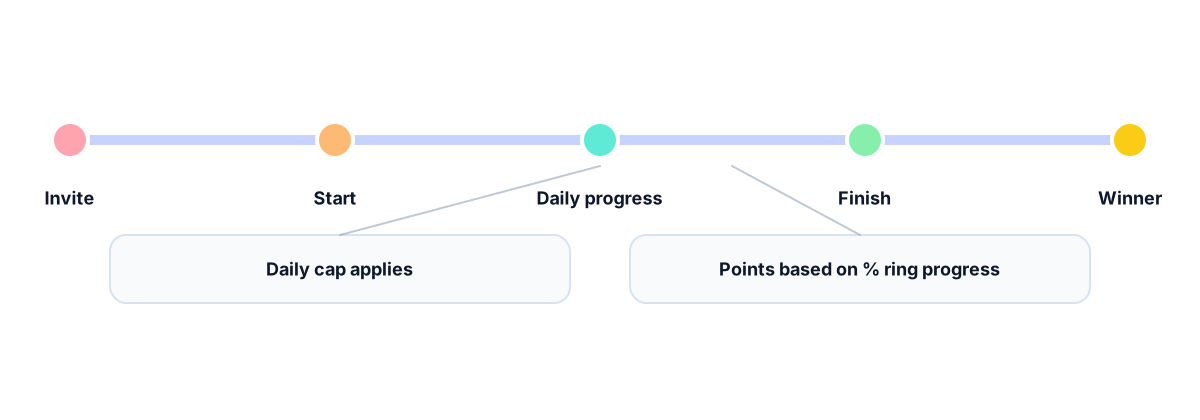
- Each competition runs for seven days.
- Points are scored daily from ring progress.
- Daily points are capped at 600.
- Weekly totals decide the winner.
- Ring percentage progress matters, not steps.
- Closing all three rings is the fastest way to score.
- Goal changes affect future points during the week.
Apple Fitness competition rules vs Apple Watch competition rules
There is no separate Apple Fitness competition rulebook. On iPhone, the competition appears inside Fitness > Sharing. On Apple Watch, it appears inside Activity > Sharing. Both views use the same seven-day Apple Watch competition score.
| Search term people use | What it usually means |
|---|---|
| Apple Fitness competition rules | Apple Watch competition rules shown through the Fitness app |
| Apple Watch competition rules | The same 1v1 seven-day Activity competition |
| Apple Fitness competition points | Points from Move, Exercise, and Stand ring percentages |
| Apple Fitness challenge rules | Usually Apple Watch Activity Sharing, not Fitness+ workouts |
Fitness+ guided workouts can help you close rings, but Fitness+ is not required to join a competition and does not have a separate point system.
Rules at a glance
- A competition is always 1v1.
- It runs for seven full days.
- Points reset each day and total weekly.
- Max points per day is 600.
- Points come from ring completion, not steps.
- Closing all three rings matters most.
- Going beyond your goals can add extra points.
- Manual workouts count only if they move rings.
- Time zone changes can shift what counts as a day.
Rule table
| Rule | What it means | Common mistake |
|---|---|---|
| 7-day duration | The match lasts one week | Expecting to pause or extend it |
| 600 points/day cap | Daily scoring stops at the cap | Thinking huge workouts keep adding points |
| Rings drive points | Move, Exercise, Stand are the score | Tracking steps instead of rings |
| Goal changes apply | New goals affect future points | Changing goals to “catch up” midweek |
| Manual workouts count if rings move | Only ring progress matters | Assuming any manual entry equals points |
Do this, not that
| Do this | Not that |
|---|---|
| Close all three rings daily | Chase one huge workout and miss a ring |
| Keep goals realistic for the week | Set goals too high and burn out |
| Check time zone effects when traveling | Assume midnight in every location resets the day |
How points are calculated (quick formula)
Daily points are based on ring percentage progress: Move% + Exercise% + Stand% (daily cap applies). Example: Move 120% + Exercise 100% + Stand 100% = 320 points for the day.
If you are trying to max out a day, read how to get 600 points in an Apple Watch competition. The short version is that all three ring percentages must add up to 600 before the daily cap stops additional scoring.
Worked week example
Here is a simple example of how the daily scores add up. The daily cap applies independently, so a strong day cannot make up for every missed day later in the week.
| Day | Move% | Exercise% | Stand% | Points that day |
|---|---|---|---|---|
| Monday | 120 | 100 | 100 | 320 |
| Tuesday | 80 | 90 | 100 | 270 |
| Wednesday | 200 | 200 | 120 | 520 |
| Thursday | 100 | 100 | 100 | 300 |
| Four-day total | 1,410 |
This is why balanced ring progress matters: the 520-point Wednesday helps, but it does not erase the lower-scoring Tuesday. For the official Apple activity-sharing flow, see Apple’s Apple Watch competition instructions.
What counts toward points?
| Action | Usually affects rings? | Notes |
|---|---|---|
| Recorded workout on Apple Watch | Usually | Directly moves Move/Exercise rings |
| Brisk walking throughout the day | Often | Helps Move and Exercise minutes |
| Standing each hour | Usually | Stand ring depends on hourly movement |
| Manual workout entry in Health | Depends | Counts if it updates ring progress |
| Changing goals midweek | Depends | Changes future point potential |
| Step count alone | Unlikely | Steps are not the scoring input |
How does it work?
- Accept a competition invite in the Fitness app.
- The other person accepts to start the week.
- The competition runs for seven days.
- Points are awarded each day based on ring progress.
- Daily points are capped at 600.
- Weekly totals determine the winner.
- You can run multiple 1v1 competitions at once.
For the current setup path on both devices, see how to start and accept an Apple Watch competition.
What happens when an Apple Watch competition ends in a tie?
Apple's public competition guide says the person with the most points at the end wins, but it does not describe an official tiebreaker for equal weekly totals. Do not assume Apple will use calories, steps, workouts, or who reached the score first unless the result shown on both devices confirms that behavior.
If both people finish with the same total:
- Let both iPhones and Watches finish synchronizing.
- Check the final result on both devices.
- Save a screenshot if the displayed outcome differs.
- Treat the result shown by Apple as final, or agree on your own rematch rule.
Example: if both people finish at 3,500 points, the totals alone do not establish a winner. Apple does not publish a separate step-count or calorie tiebreak in its current Apple Watch competition instructions.
What Apple’s built-in competition does not support
Apple’s built-in competition is useful for a straightforward head-to-head challenge, but it has limits:
- It is 1v1 rather than one shared group leaderboard.
- A match runs for seven days and cannot be paused or extended.
- The score is based on ring progress, not steps, distance, or workout duration alone.
- Several separate competitions are possible, but friends are not combined into one Apple competition.
If your goal is a challenge for a whole team, family, or friend group, Competo runs an Apple Watch group competition on the same Activity ring data: one private group, one weekly leaderboard.
Common confusion
Competitions follow the day boundaries your watch uses locally, so travel or time‑zone changes can make a day look unusual.
When traveling:
- Give the watch time to sync before judging a day’s score.
- Focus on closing rings rather than chasing a single long workout.
FAQ
How many points can you get in a week?
The max is 600 points per day, so 7 × 600 = 4200 points for the week.
Do steps count in Apple Watch competitions?
Not directly. Points come from ring progress: Move calories, Exercise minutes, and Stand hours.
Do manual workouts count?
They can, if the entry increases your ring progress for the day.
Can I compete with more than one friend?
Apple’s built‑in competition is 1v1. You can run several separate competitions at the same time.
Can you pause or restart a competition?
Competitions run for seven days once accepted. If you want a fresh start, wait for the week to finish and start a new one.
What happens if an Apple Watch competition ends in a tie?
Apple does not document an official tiebreaker for equal weekly totals. Let both devices synchronize, check the displayed result, and use a rematch or an agreed rule if needed.
Why this matters
Knowing the rules makes competitions feel fair and predictable. When expectations match how scoring actually works, people are more likely to stay consistent and finish the week. Clarity keeps the focus on motivation, not confusion, especially in groups.
Want this with groups? Competo supports group leaderboards.
- Weekly leaderboard updates for groups
- Group challenges everyone can join
- Stay consistent without micromanaging scores
Related guides
- Apple Watch group competition for 3+ people
- Best Apple Watch challenge apps, compared
- Apple Watch competition overview
- How competition points are counted
- How to get 600 points in an Apple Watch competition
- Are Apple Watch competitions fair?
- Fix a competition that is not updating
- Start and accept an Apple Watch competition
- Activity rings explained simply
- How to add workouts in Apple Fitness
- What Apple Fitness and Fitness+ mean
Not affiliated with Apple.